
To create a contract in dot.legal, click Create Contract, provide a name and contract type, then complete the 6-step documentation flow. New contracts start in draft status and can be completed at your own pace.
Steps
- Click Create Contract
- Enter a name
- Choose a contract type
- Click Create → You now enter the contract documentation flow
All new contracts are created in draft status by default. You can save your progress at any step and return later to continue.
The 6-Step Documentation Flow
- Step 1: General info (description, tags)
- Step 2: Access and ownership
- Step 3: Dates and notifications
- Step 4: Contract terms and currency
- Step 5: Contract parties — internal and external legal entities, in separate lists
- Step 6: Documents
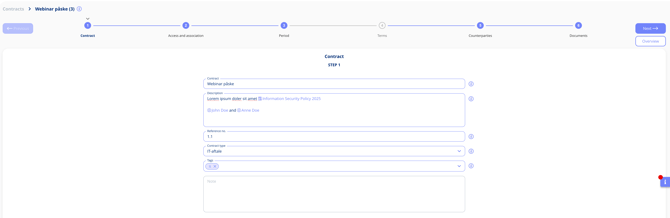
Document contracts with a guided flow — at your own pace
Once all steps are complete, you can submit the contract for review or activate it directly, depending on your organisation's workflow settings.