
How to Use a Template
Using a template lets you instantly add a pre-documented asset — such as Microsoft 365 — with standard legal, security, and risk information already filled in, saving you time on manual setup.
How do you create an asset from a template?
Follow these steps in order:
- Click Create from Template
- Browse the available library
- Select a system (e.g. Microsoft 365)
- Click Create
The asset is added with standard documentation already filled in, including legal, security, and risk information relevant to the selected system.
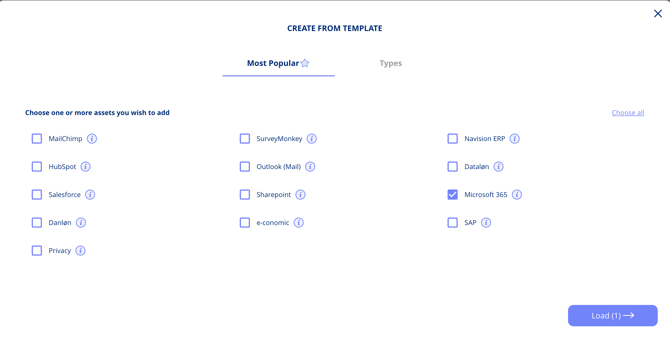
Use templates to quickly document known systems