
This gives you flexibility to plan your compliance framework before committing to deadlines and assignments.
Creating a Framework Without Tasks
- Navigate to Frameworks and click Create framework.
- Follow the standard framework creation steps.
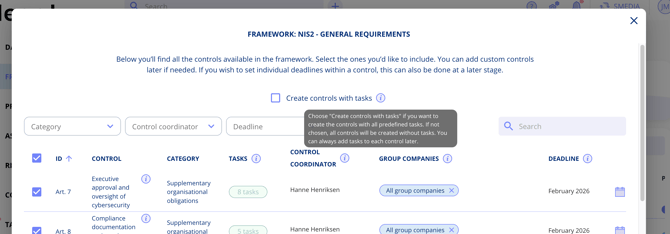
- Look for the checkbox: "Create controls with tasks".
- Checked — All controls are created with their predefined tasks (the traditional behaviour).
- Unchecked — Controls are created without tasks. You can add tasks later.
Working with Taskless Controls
When you create a framework without tasks:
- Controls appear greyed out in the framework view, indicating they have no associated tasks yet.
- No deadline requirements are enforced during initial setup.
- No group company selection is needed initially.
This is useful when you want to:
- Review and customise the framework structure before assigning work.
- Gradually roll out compliance tasks across the organisation.
- Set up a framework for planning purposes without immediately generating obligations.
Adding Tasks Later
When you're ready to add tasks to a control:
- Navigate to the control within the framework.
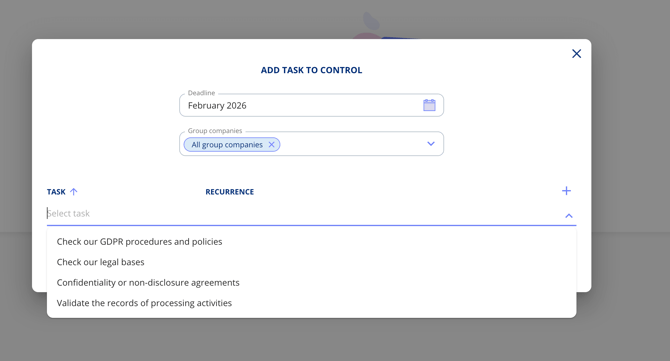
- Select "Add task from control template".
- Set the deadline for the task.
- Select the relevant group companies.
- Save.
Note: The system prevents duplicate tasks automatically — if a task already exists for a control, you will not accidentally create another one.