- Policies
- Vendors
- Tasks
This article explains how to link policies, add vendors, and assign tasks directly on an asset in dot.legal.
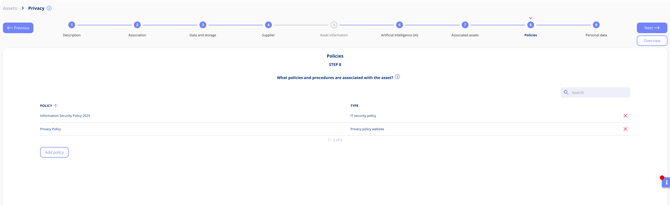
Linking Policies
You can attach policies (e.g. InfoSec, AI use) from your policy library. Linked policies appear on both the asset record and the policy record, giving you a two-way view of compliance coverage.
Vendors
- Add one or more vendors to an asset
- Specify if they’re a data processor
- Enable automatic sharing so the vendor is automatically added to any processing activities linked to this asset
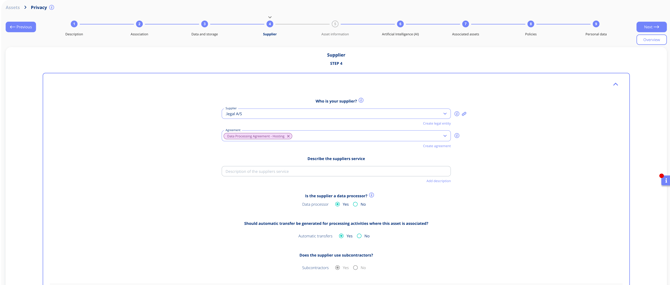
Tip: Documenting vendors as data processors centrally ensures they are automatically reflected across all related processing activities.
Tasks
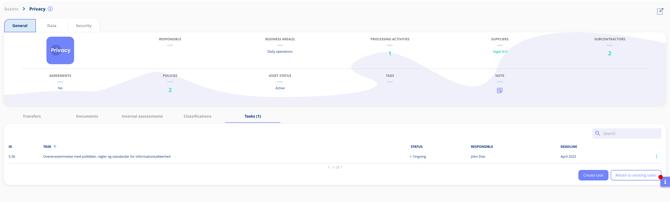
You can assign new tasks directly to the asset (e.g. “Upload contract” or “Verify certification”) or link existing tasks using the Relate to task function. Tasks assigned here are visible in your central task overview.