
Risk assessments in dotLegal let you evaluate threats against a processing activity or a system/asset by rating likelihood and impact across predefined risk scenarios, then export results or create mitigation tasks directly from the assessment.
You can perform assessments for:
- A processing activity (e.g. payroll handling)
- A system/asset (e.g. Microsoft 365)
How to perform a risk assessment
Before you begin, make sure your risk template is set up.
- Select the Scope (asset or activity) and the Compliance domain (e.g. GDPR, NIS2, ISO 27001).
- Open the Risk Assessment for the relevant processing activity or an asset.
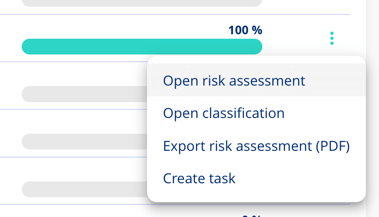
- The risk scenarios will appear.
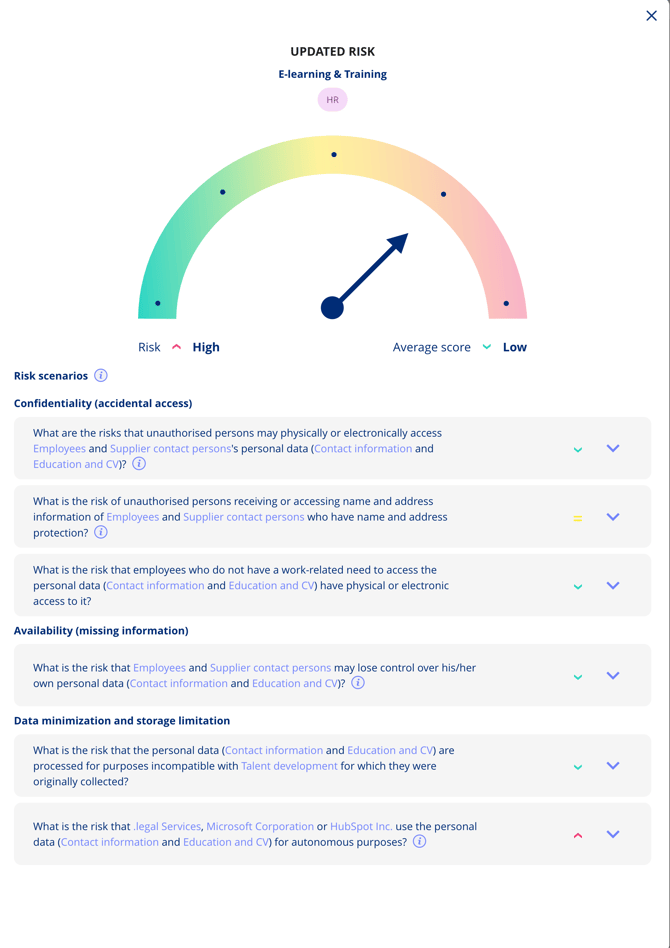
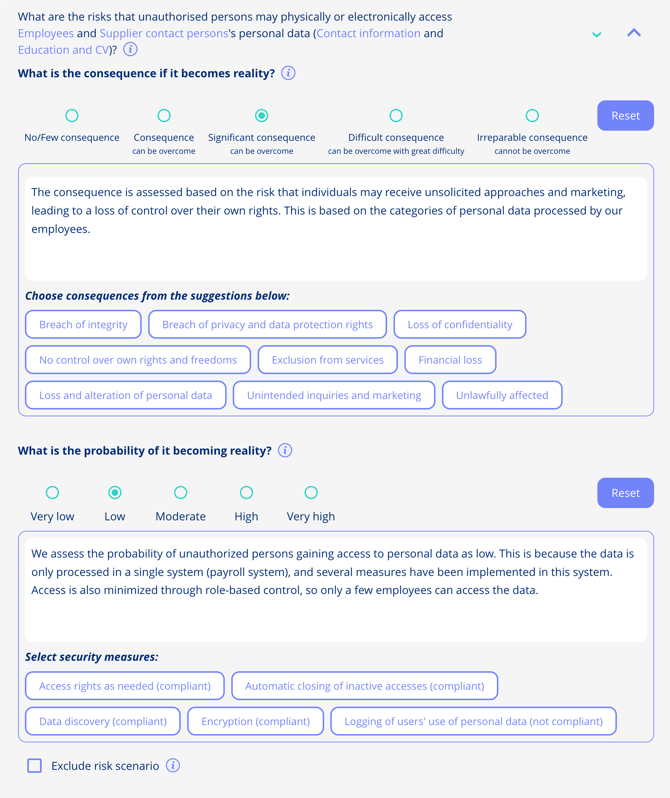
- For each scenario, complete the following fields:
- Rate likelihood and describe possible consequences.
- Rate the impact of the scenario. Describe the security measures in place.
- Describe existing controls.
- Suggest planned actions.
- Provide an overall justification.
Examples
- Scenario: Loss of availability
- Likelihood: Low
- Impact: High
- Controls: Redundant backup and 24/7 monitoring
- Final score: Moderate
The final score is calculated by combining the likelihood and impact ratings according to your risk template's scoring matrix.
After the assessment
- Export results: Download the completed assessment as a PDF or Excel file.
- Create mitigation tasks: Generate tasks directly from individual risk scenarios to track remediation.
- Reassess over time: Use version control to save a snapshot and run updated assessments later without losing prior results.