
The Obligations Tab: Overview
The Obligations tab on a contract's main page displays a list of all obligations created for that contract.
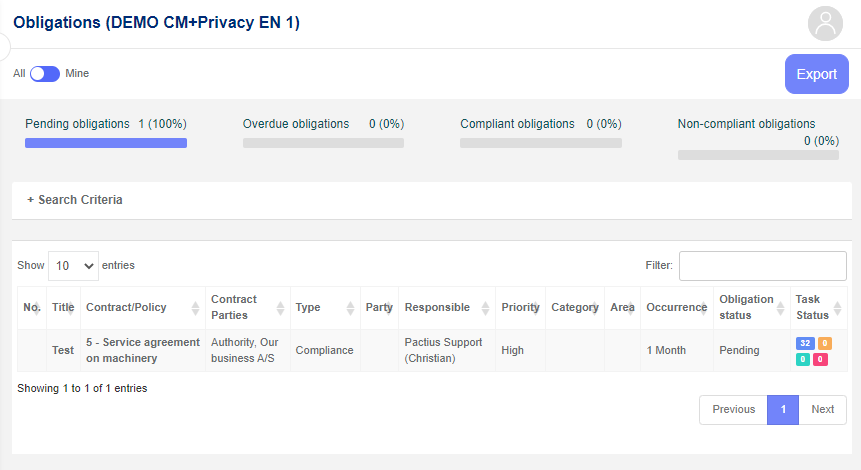
At the top of the list on the left, you can specify how many lines you want to have on each page.
Note: By default, 10 lines per page are shown. However, this can be changed in the user settings.
At the top of the list on the right, you have a search field, where you can further narrow your search by typing in a given text string.
Tip: If you, for example, type in "supplement", only the rows with the text "supplement" in one of the fields are displayed.
At the bottom, you can flip between the pages.
If you want to access an obligation, simply click on either No. or the Title of the relevant line after which you enter the obligation's main page.
Add a new obligation
A new obligation can be added by clicking the "+Add" button in the upper right corner of the list, after which the following pop-up window appears:
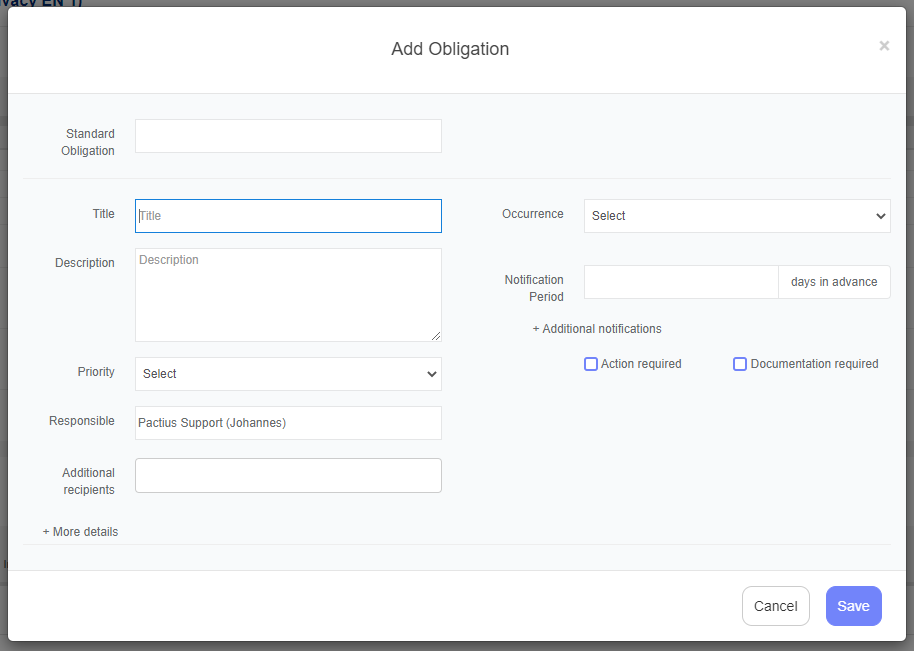
Fill in the required fields for the new obligation. This typically includes the obligation title, description, responsible party, and due date.
When the information has been entered, click on the "Save" button. The obligation is then assigned a number and any associated tasks are calculated on the basis of the entered information, after which the obligation appears in the list.
Export list of obligations
To export all obligations on a contract to Excel, click the small dropdown arrow next to the "+Add" button.
A small submenu appears. Click on the "Export" button (see the picture below).
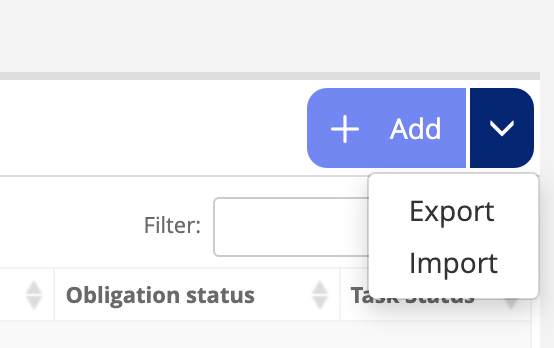
An Excel file downloads containing all obligations for the contract or policy — including those not currently visible in the list.