
What does the Processing Activity overview page show?
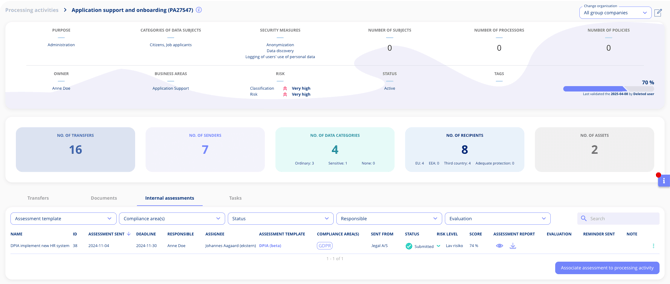
The Processing Activity overview page gives you an at-a-glance summary of a single processing activity. It displays the activity's key details, documentation progress, linked systems, data sharing entries, risk classification, and connected tasks and audits — so you can quickly identify what is documented and what still needs attention.
What does the Key Information Box display?
At the top of the page, you will see:
- Activity name
- Owner and business area
- Documentation progress
- Validation date
What statistics and insights does the mid-section provide?
The mid-section includes statistics such as:
- Number of systems linked
- Data sharing entries
- Risk classification
- Number of tasks and audits linked
