
- Each activity creates one or more tasks at set intervals
- These tasks inherit metadata from the parent activity
- You can edit each task individually — but structure is controlled by the activity
Updating the Activity
If you want to change task content or logic → edit the activity. To update a single task → edit the task directly.
Tip: Use pinned comments to carry knowledge across future recurrences.
Frequency: Weeks, Months or Years
An activity's recurrence can be set in weeks, months or years, so a short-cycle check and an annual review can both be planned in the same framework.
- Weeks — frequent, short-cycle activities
- Months — regular periodic activities
- Years — annual reviews, assessments and long-term activities
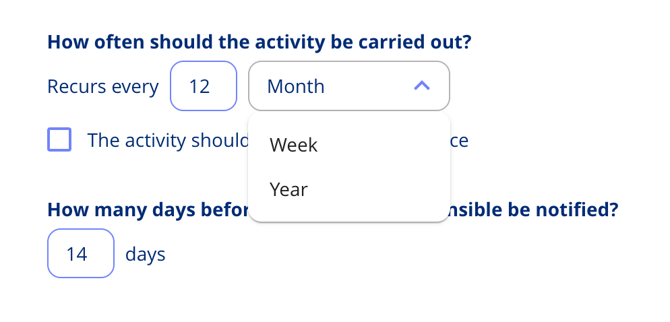
New activities and obligations default to 12 months unless an annual wheel template or obligation template says otherwise.
Give an Activity an End Date
An activity can have both a start and an end date, instead of running indefinitely. Set them when you create or edit the activity, and the platform respects both dates when it decides which activities are active and which tasks to generate.
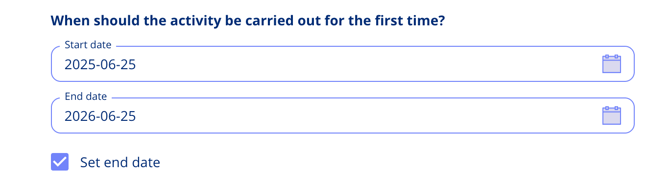
Tip: an end date is what you want for a time-bound obligation — a three-year contract term, say — so tasks stop being created once it expires.
Related Articles
- Pinned Comments in Tasks
- Annual Wheel Planning