
Notifications
.legal task notifications alert you when comments are added, tasks are updated, or reminders are due — keeping your team aligned without leaving the platform.
- Receive notifications when someone comments on a task
- Subscribe to specific task updates (e.g., status changes or due date edits)
- Set reminders via the platform or externally (e.g., email or calendar)
Outlook Integration
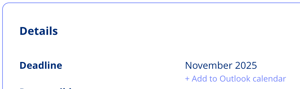
.legal's Outlook Integration lets you export tasks as calendar events, so you can track deadlines in Microsoft Outlook alongside your other commitments.
To export a task to Outlook, follow these steps:
- Open the task in .legal.
- Locate and select the Outlook Integration option in the task's action menu or sidebar.
- Download the generated calendar file (.ics).
- Open the .ics file to add the event directly to your Outlook calendar.
Task History
The Task History log records every change made to a task — including who made the change, when it occurred, and what the previous value was — providing a full, timestamped audit trail.
- Who changed what
- When it happened
- What the old value was
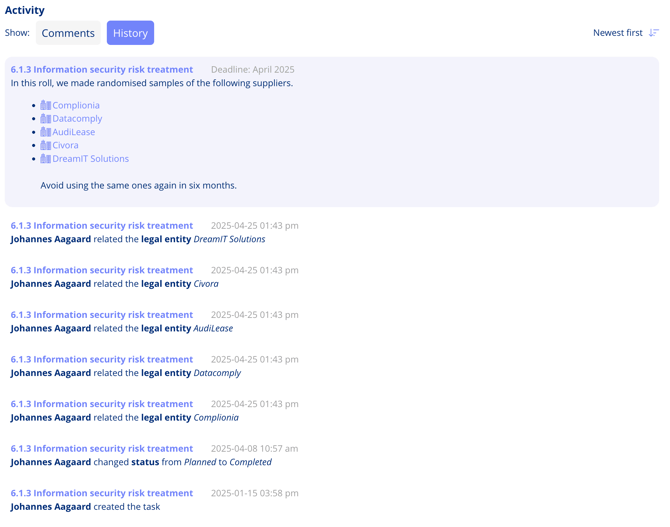
The Task History log shown above captures a pinned comment alongside a full record of field-level changes.