
Once a policy version is published, you can distribute it to recipients and track whether they've read and signed off on it, all from within the platform.
Add recipients
Go to the Recipients and sign-offs tab on the policy. You can select existing users in the platform or add external recipients by name and email address. External recipients don't need a .legal account to receive and sign off on a policy.
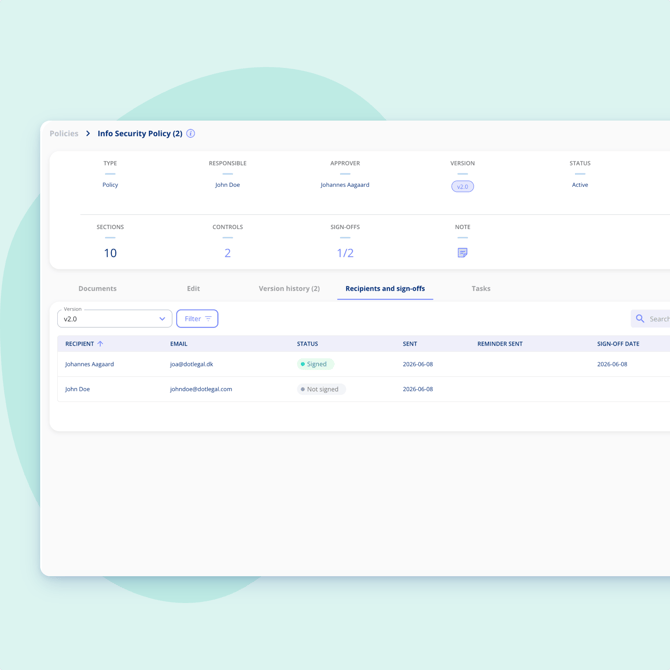
Select the recipients and choose Distribute. Each recipient will receive an email with a link to read the policy and confirm sign-off.
How sign-off works for recipients
Recipients receive an email containing the policy. They can read it and confirm that they've read it by clicking the sign-off button. No login is required for external recipients.
Track sign-off progress
The Recipients and sign-offs tab gives you a live overview of sign-off status per version. For each recipient you can see when the policy was sent, whether a reminder has been issued, and when they signed off.
If someone hasn't signed off yet, you can send them a reminder directly from the platform.
Sign-off progress is also visible from the Version history tab and the Policies overview.
Note on publishing and distribution
Publishing a policy does not automatically notify recipients. You need to distribute it manually from the Recipients and sign-offs tab each time you want to send a version out for sign-off.