
Assets now have dedicated access management, giving administrators precise control over who can see and edit records — including which individual fields a user can read or change.
The Access step
Every asset template includes an Access step that cannot be removed. It lets you define who can see an asset by:
- Setting a responsible person
- Adding additional users
- Restricting access by business area
- Excluding specific users if needed
- Choosing whether the asset is accessible to all users within the chosen group companies, or granting access across all group companies
The Access step is also available as a tab on the asset detail view and works the same way as on contracts.
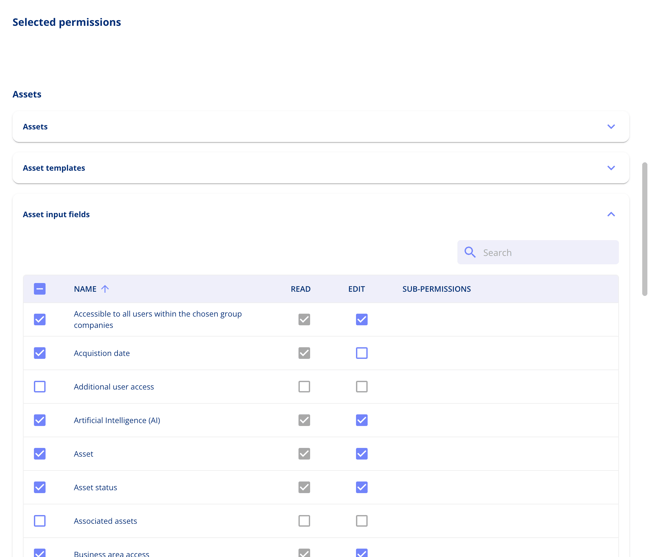
Field-level permissions
In addition to overall asset access, you can control which input fields a user can read or edit within an asset. For example, a user may have read access to the asset overview but no edit rights on specific fields such as business area.
If a user has no edit access to any fields on a given step, the step icon in the navigation is hidden. This replaces the previous locked-field approach.
Restricting which templates a user can create assets from
You can restrict which asset templates a user is allowed to create assets from. If a user tries to create an asset from a template that includes required fields they do not have access to, they will see a clear warning and will not be able to proceed until an administrator adjusts their permissions.