
Before you can assess anything, select the entities your risk area will cover. Entities are the concrete objects that risk attaches to: processes, assets and systems, and suppliers. Once added, you can begin creating risk scenarios against them.
To add entities to a risk area, follow these steps:
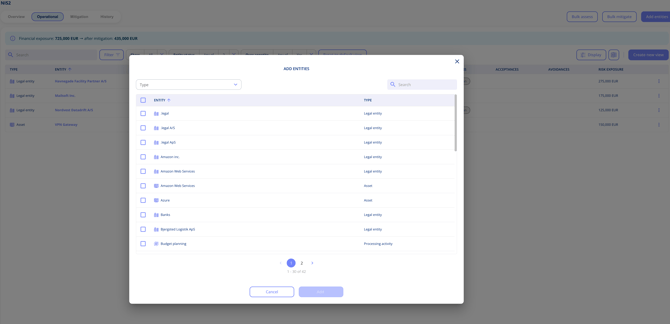
Open the risk area and go to the Operational overview.- Click Add entities.
- Select the processes, assets and systems, and suppliers/legal entities the risk area should cover.
- Click Save.
Keep the scope focused. A risk area covering only supplier security should not include processing activities, while one covering information security will likely need all three entity types.
You can add more entities at any time as your scope evolves.
Please note: entities are only needed where risk is assessed per entity. In a risk area assessed for the organisation as a whole, risk scenarios are added directly to the area. In an area that covers both, you add entities for the entity-level risks and the organisational scenarios sit alongside them. See Assess risks at organisational level.