
When archiving a contract in .legal, you can optionally set an end date and choose which obligations to update with that date. Archiving removes a contract from your active list while preserving all historical records.
How do you archive a contract in .legal?
- Open the contract and select Archive.
- When prompted, enter an end date.
- Select the obligations you want to update with that date.
- Select Confirm to complete the archiving.
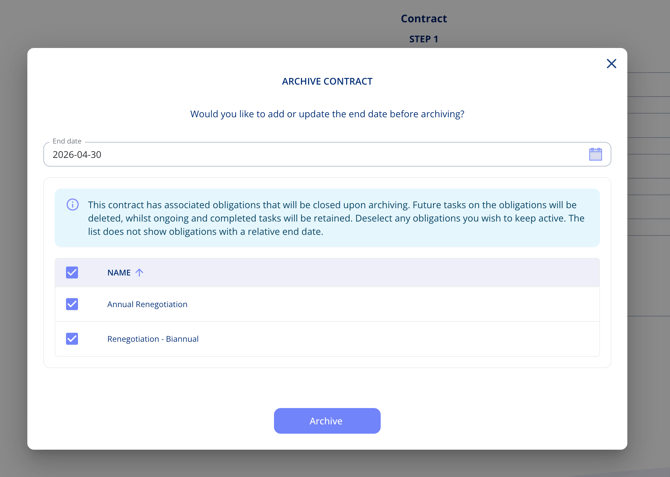
Once archived, obligation tasks are handled as follows:
- Planned tasks scheduled beyond the end date are automatically removed.
- In-progress or completed tasks are kept, preserving your historical data.
This keeps your obligation overview accurate without losing any past records.
What happens if you skip the end date?
Setting an end date is optional. If you skip it, the contract is archived and all its obligations remain unchanged.
Can you unarchive a contract?
You can unarchive a contract at any time to restore it to your active contracts list.