
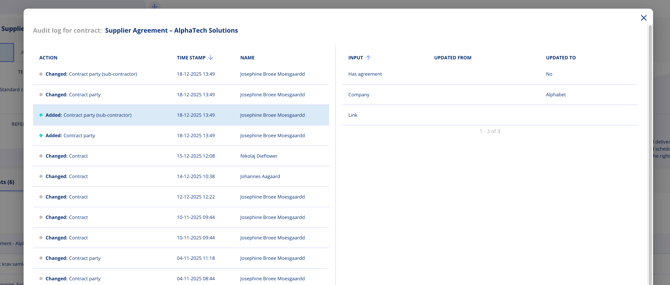
Every modification is recorded with timestamps, user attribution, and the specific old and new values, giving you full traceability for compliance and governance purposes.
Accessing the Audit Log
The audit log is available on individual records. The access method varies by module:
Contracts
- Open a contract.
- Click the edit icon or navigate to the audit log section.
- View the complete history of changes to that contract.
Legal Entities
- Open a legal entity.
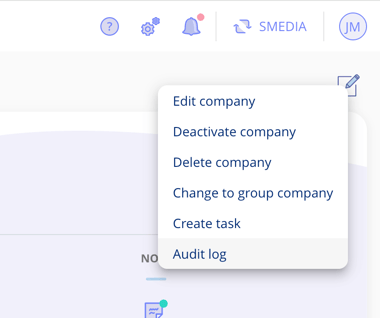
- Click the edit icon to access the change log.
Documents
- Navigate to a document.
- Open the overflow menu (three dots) and select the audit log option.
What the Audit Log Shows
Each entry in the audit log includes:
- Timestamp — The exact date and time of the change.
- User — Who made the modification.
- Field changed — Which specific field was modified.
- Old value — The previous content of the field.
- New value — The updated content of the field.
Use Cases
- Compliance audits — Demonstrate a complete trail of changes for regulatory reviews.
- Accountability — Identify who made specific changes and when.
- Error resolution — Trace back changes to find when and how an error was introduced.
- Internal governance — Monitor changes to sensitive contracts and vendor relationships.