
The automatic sub-processor sharing feature lets you configure a vendor once and have its sub-processors propagate automatically whenever that vendor is linked to a processing activity, system, or contract. This eliminates the need for manual re-entry and reduces the risk of incomplete records.
- Open the legal entity, then navigate to the Subcontractors tab.
- Add one or more sub-processors
- Select the **Enable automatic sharing** checkbox.
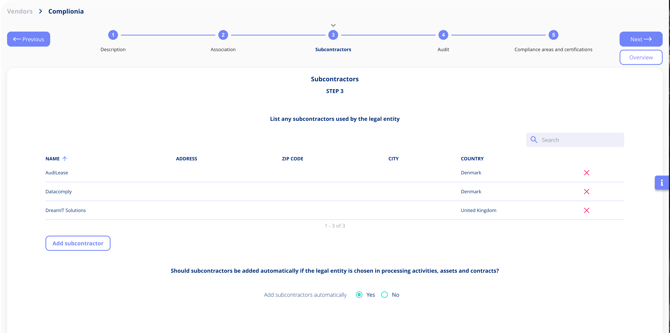
Automatic sub-processor sharing ensures that whenever a vendor is associated with a processing activity, system, or contract, all of that vendor's configured sub-processors are instantly registered in the correct location — no manual steps required.
Once the vendor is linked to a processing activity, a system, or a contract, all sub-processors are automatically added in the relevant context.

Mark automated registration
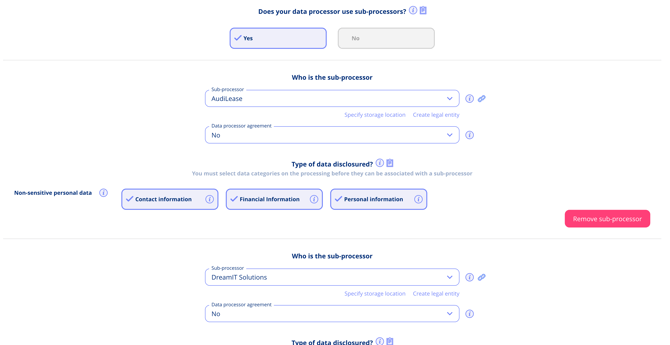
Subprocessors are now added automaticaly
Tip: This saves time, reduces manual data entry, and ensures consistent sub-processor documentation across all modules. Note that sub-processors are shared only when the "Enable automatic sharing" checkbox is active; disabling it stops future automatic propagation but does not remove already-added sub-processors.