
A legal entity in dotLegal represents any external organisation — such as a vendor, customer, or service provider — that your company interacts with. This article explains how to create, configure, and manage legal entities in the platform.
Creating a Legal Entity
- Go to Legal entities > External in the menu
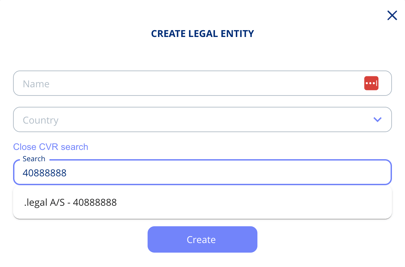
- Click Create Legal Entity
- Enter:
Name (required)
Country (required) - Choose a Legal entity template. The standard template is always available; with the Templates and Custom Fields add-on you can choose from your own custom templates. See Create and Use Legal Entity Templates.
.png?width=456&name=Create%20from%20template%20(1).png)
- If you have the CVR add-on enabled (Denmark only), you can also:
- Search by CVR number or company name
- Auto-fill details such as address and website
After Creation
Once created, you enter the entity flow, laid out in the steps and fields of the template you chose. In it you can, for example:
- Register address and tax info
- Add a description
- Set approval status (approved / pending)
- Define the type (vendor, customer, processor, sub-processor, or service provider)
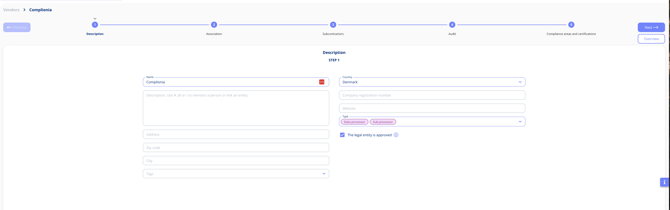
The entity flow lets you register details, ownership, and usage across all your legal entities.
Deleting a Legal Entity
A legal entity that is still in use cannot be deleted. When you try, the platform lists everything it is attached to — assets, processing activities, and contracts — grouped by type with counts, so you can see exactly what needs resolving first. Each item links straight to the record, so you can work through them one by one.
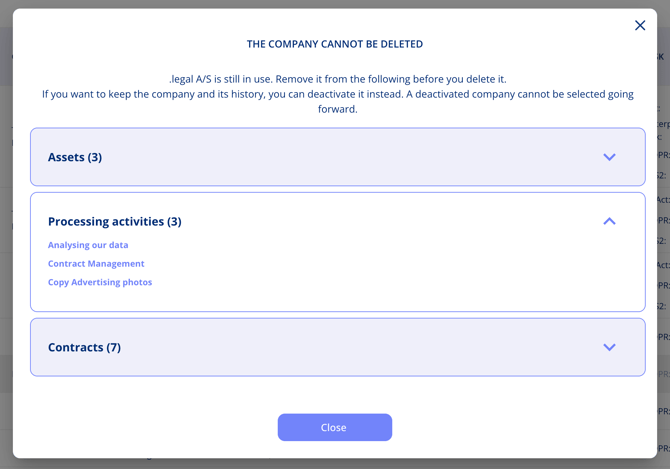
If you want to retain the entity and its history, deactivate it instead. To deactivate, open the entity and use the status toggle or action menu to set it to inactive. A deactivated entity no longer appears as a selectable option in new records, but all existing data and associations are preserved.
Entity Types
The entity type controls how the entity is categorised across the platform and lets you filter and distinguish third-party relationships. The available types are:
- Vendor — a company that supplies goods or services
- Customer — a company that receives your goods or services
- Processor — a data processor under GDPR
- Sub-processor — a processor engaged by your processor
- Service Provider — a supplier that delivers a service directly to you