
The value widgets on the The Contract Dashboard add up a value for each approved contract. You decide which fields make up that value, for example the finalised amount, the total amount or a combination.
How do I choose the fields?
- Go to Settings and open Contract settings.
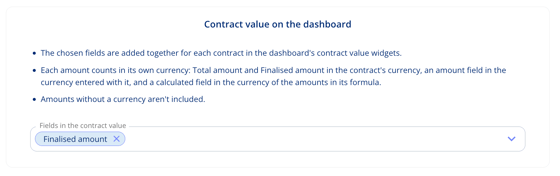
- Find Contract value on the dashboard.
- In Fields in the contract value, select one or more fields.
- Save.
Only administrators can update settings
How are amounts counted?
- The chosen fields are added together for each contract.
- Each amount counts in its own currency. Total amount and Finalised amount use the contract's currency. An amount field uses the currency entered with it, and a calculated field uses the currency of the amounts in its formula.
- Amounts without a currency are not included.
- Amounts in different currencies are never added together. The dashboard shows them separately and lets you switch currency in the widgets.
Important notes
- The value only counts approved contracts.
- Contracts with no finalised amount are listed under Missing data on the dashboard, so you can fill in the gaps.