
The compliance report lets you export a snapshot of your dashboard — including all widgets, applied filters, and your own commentary — as a PDF for sharing or record-keeping.
With the compliance report, you can:
- Include all widgets in the current view
- Add your own comments and context
- Use filters to control which organisation and user perspective is shown
What’s Included in the Report
The report includes:
- All dashboard widgets (tasks, risks, incidents, summary chart, KPIs)
- Filtered data (based on organisation and user view)
- A title and optional text comment (added before export)
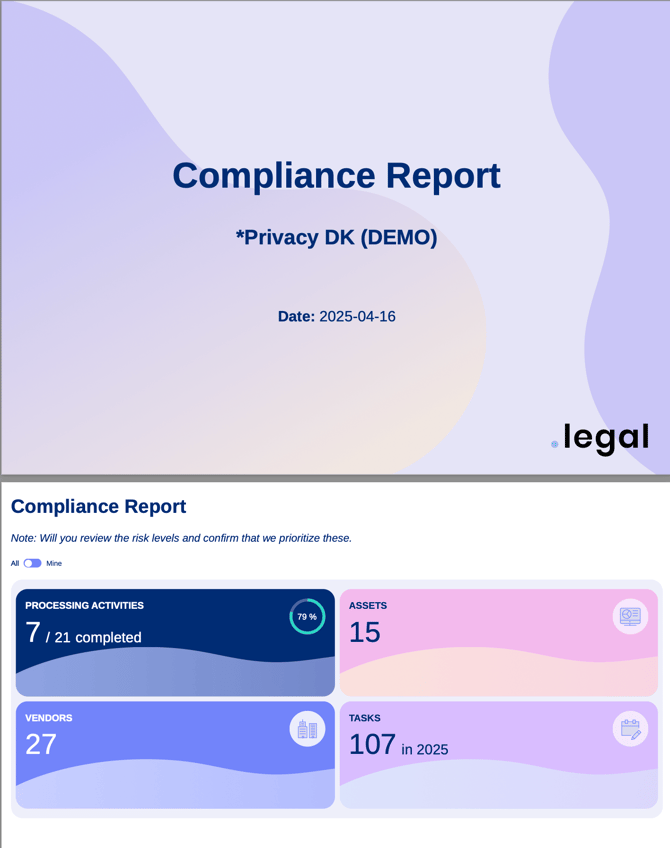
The compliance report captures everything shown on your dashboard
How to Generate the Report
- Go to your dashboard.
- Apply any filters you need (e.g. organisation, My tasks).
- Click Export PDF.
- Enter a title and optional comments.
- Click Download.
Tip: The report reflects exactly what is currently on your dashboard. If you want to narrow the report to a specific organisation or only your own tasks, apply those filters before clicking Export PDF.