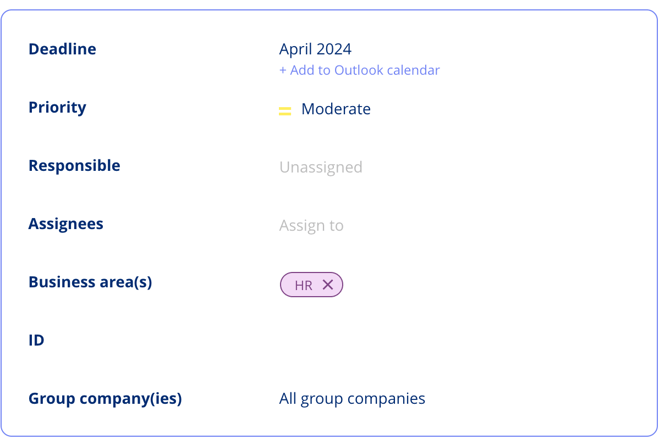
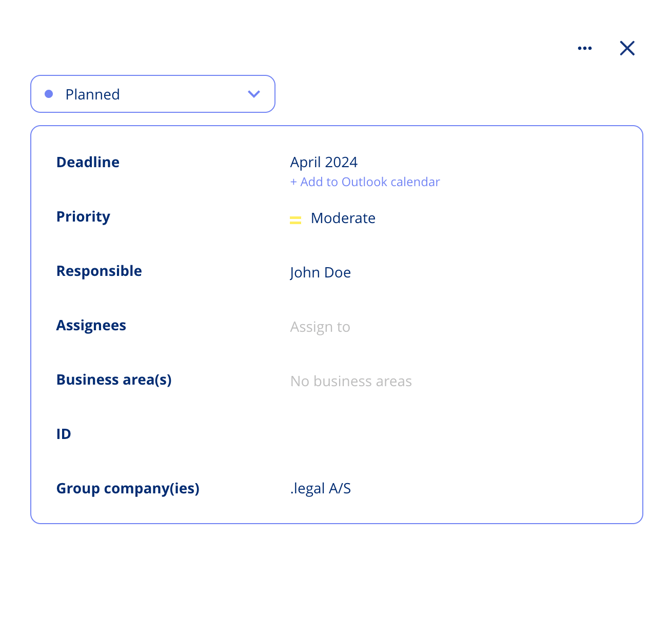
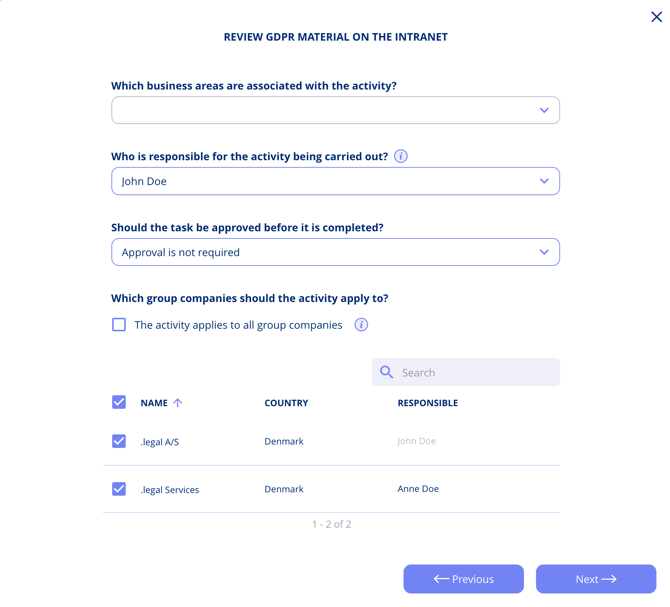
When setting up an activity in your annual planning cycle, you will reach the **Organisation** step. This step determines how tasks are created and assigned across your Group Companies. At this step, you choose whether the activity is handled as a single group-level task or as individual tasks per company.
If your setup includes multiple Group Companies, you need to decide whether an activity should be handled at the Group level (one shared task) or at the individual company level (a separate task per company). The options below explain each choice:
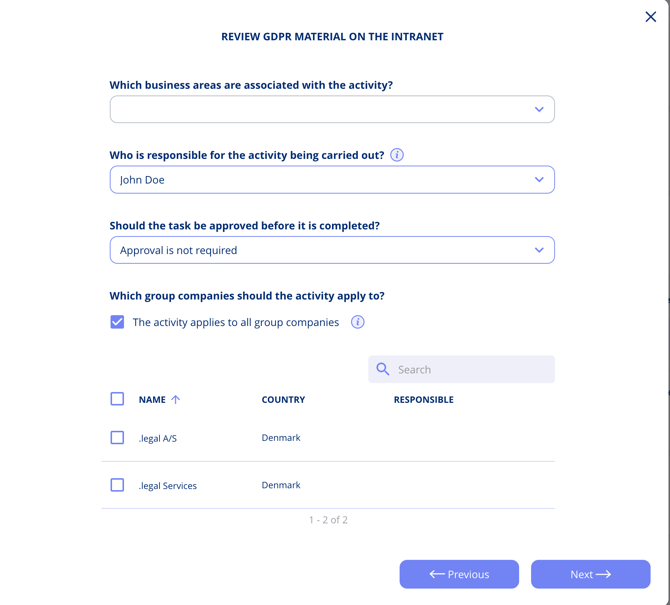
1. Unified Group-Level Activity: Selecting this option creates a single task in the task management system for the entire Group. The responsible party is set using the "Who is responsible for the activity being carried out?" field.
2. Company-Specific Activities: Choose this option if the activity needs to be completed separately by each Group Company. You can select which companies are involved, and a separate task will be created for each one in the task management system.
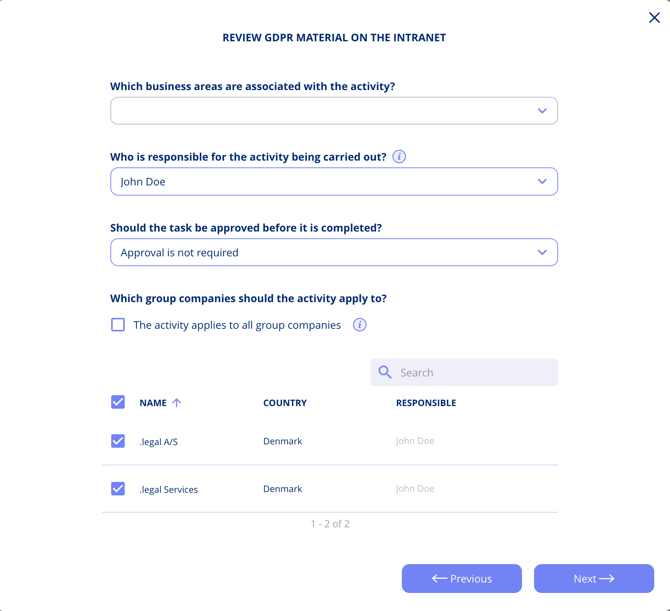
3. Custom Responsible Selection: While a default responsible party is assigned based on your earlier selection, you can assign different individuals for each Group Company. This ensures that tasks align with your organisational structure.
4. Finalising Your Plan: Once you complete the planning stages, your tasks are created in the task management system based on the options and responsible parties you selected.
You can find these tasks in the task management interface. Each task is labelled to show whether it is a **Group Activity** or belongs to a specific Group Company, making it easy to track progress across your organisation. > **Tip:** If your organisation has only one Group Company, the Organisation step will not appear during activity setup.