
Prerequisites
- Your organisation must have the contract module enabled.
- You need a Penneo account with API access enabled. If you are unsure whether your Penneo plan includes API access, contact Penneo support before proceeding.
- You need administrator permissions in .legal to configure the integration.
Setting up the integration
The Penneo integration with .legal lets you import fully signed contracts from Penneo directly into .legal, where you can manage them through their full compliance lifecycle — including obligations, access control, and documentation.
To get started, email support@dotlegal.com with your Penneo domain name (for example, yourcompany.penneo.com). Our team will configure the integration for you — typically within one business day. You will receive a confirmation email once the integration is live.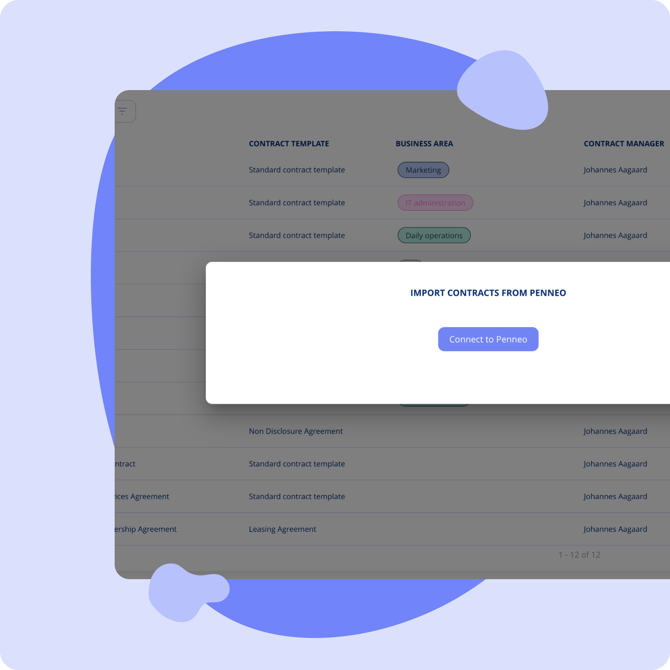
Importing Signed Contracts
Once the integration is active:
1. Navigate to the Penneo import interface in .legal (found under the Contracts section) to view all available contracts from Penneo.
2. Select the contracts you want to import.
3. Assign each contract to the appropriate .legal contract template.
4. Click Import. The signed documents and associated data are transferred to .legal automatically.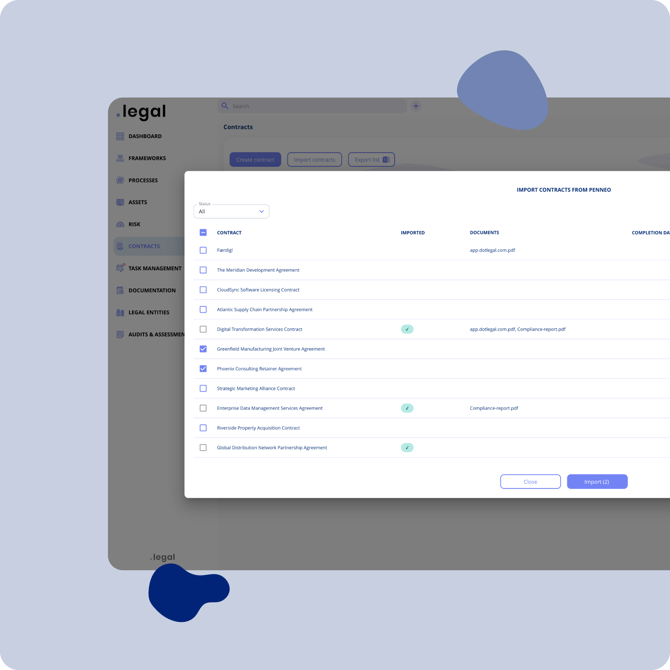
Note: Only fully signed (completed) contracts are available for import. Contracts that are still pending signatures in Penneo will not appear in the import interface.
The integration automatically transfers:
- The signed document
- The contract manager information
- Relevant metadata mapped to your chosen template
Workflow overview
The typical workflow with the Penneo integration looks like this:
1. Create the contract in Penneo and send for signature.
2. Signatories sign the document digitally via Penneo.
3. Import the signed contract into .legal using the Penneo import interface (see Importing Signed Contracts above).
4. Manage the contract's compliance lifecycle in .legal, obligations, access control, and documentation.
Getting Help with Setup
Our Customer Success team is here to help — whether you need assistance with the initial configuration or have questions after setup. To connect your Penneo account or resolve any issues, email us at support@dotlegal.com.
Related articles
- Create a Contract
- Contract Documents and Counterparties
- Contracts and Compliance