
What is the Processing Activities Overview?
The Processing Activities Overview is a central table that lets you monitor documentation progress, identify missing or outdated content, and navigate directly to any processing activity — all from a single screen.
How do you search and filter the overview?
You can search or filter to find exactly what you need. Filter by:
- Business area (e.g. HR, Finance)
- Tags (custom labels for grouping)
- Personal data categories (e.g. CPR number)
- Risk level
- Ownership (see only your own activities)

Filter by area, risk, tags or personal data categories
What does each row in the table show?
Each row includes:
- Title and business area
- Progress bar (% documented)
- Linked systems and vendors
- Risk level
- Validation status:
- Green – the activity is fully validated and up to date
- Cracked – the activity was previously validated but has since been changed and requires re-validation
- Missing – the activity has not yet been validated
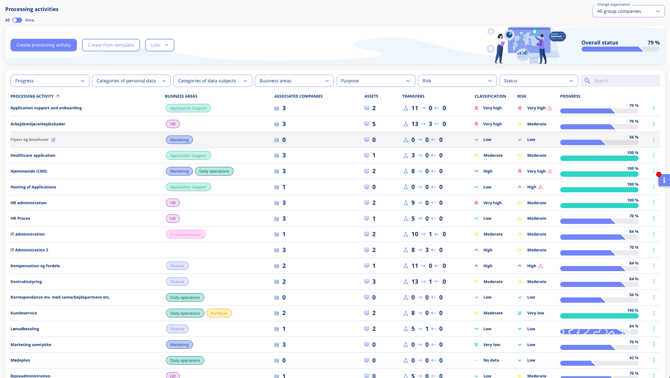
Click any row to go into the full activity.