
This reduces incomplete records and improves data quality across your contract portfolio.
Configuring Required Fields
- Go to Settings and open the contract template you want to configure.
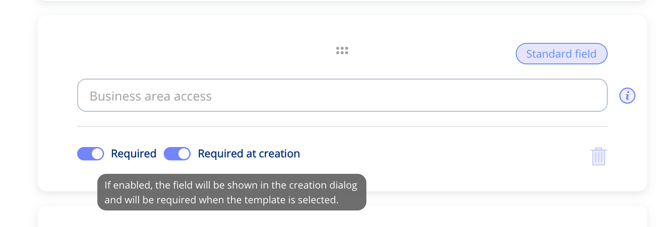
- Find the field you want to make mandatory — this works for both standard fields and custom input fields.
- Mark the field as "Required at creation".
- Save the template.
How It Works for Users
When a user creates a new contract using a template with required fields:
- Required fields are clearly indicated in the creation dialog.
- The user must complete all required fields before they can save the contract.
- If a required field is left empty, the platform prevents saving and highlights the missing information.
Tips
- Use required fields for information that is essential to your compliance process — such as contract type, responsible person, or business area.
- Avoid marking too many fields as required, as this can slow down contract creation when some information is not yet available.
- Custom input fields can also be marked as required, giving you full flexibility over what data is mandatory for each contract type.