
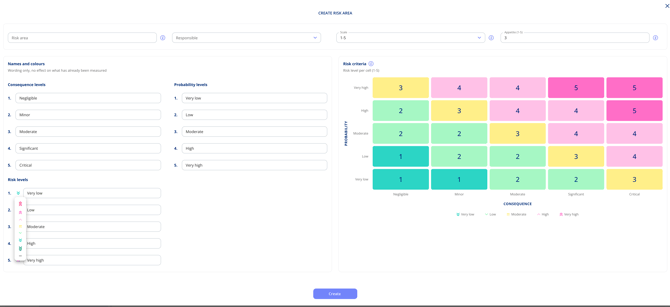
Risk appetite is the highest risk level a risk area accepts before anything scoring above it is flagged as over appetite. Flagged risks appear in the risk overview and in the management report without anyone having to look for them. You set an appetite for each area, and one global appetite across the organisation.
You need admin rights with access to edit master data to edit appetite.
Set appetite for a risk area
- Open settings and navigate to risk areas in the setting menu.
- Open the risk area.
- Find the Risk appetite section.
- Select the highest risk level the area accepts.
- Click Save.
Set the global risk appetite
The global appetite is a total rather than a level. It specifies how many risks, across all areas, may exceed appetite before it requires action from management. It is the fastest way to spot that something needs escalating.
- Go to settings and select Global risk settings in the settings menu.
- Find the Global risk appetite setting.
- Enter the total number of risks that may sit above appetite across all areas.
- Click Save.
The management report measures the whole organisation against this number.