
A risk area defines one compliance or security domain your organisation wants to assess and manage risk within, for example GDPR, NIS2, the AI Act, information security, or a custom area you define yourself. Each area comes with its own risk matrix, so the assessment can be tailored to that domain's specific requirements.
You need admin rights with access to edit master data to create risk areas.
- Go to settings and select risk areas in the settings menu.
- Click New risk area.
- Enter a name for the area. Use the name your colleagues would recognise, for example the framework or the domain it belongs to.
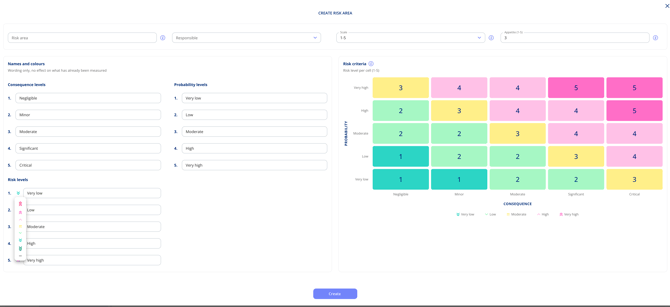
- Setup the area.
- Select an owner
- Select an assessment level: per entity, the organisation as a whole, or both. See Assess risks at organisational level.
- Select a scale and appetite
- Edit names for risk, consequence, probability.
- Click Save.
The area now exists but is not yet ready to assess with. Continue by setting up the scale and matrix, setting the risk appetite, and adding risk scenarios.
Please note: you can create as many risk areas as you need. Most organisations start with one or two and add more as their compliance scope grows.