
When a user leaves your organisation or changes role, you can transfer their responsibilities to another user. You can choose exactly which records to reassign rather than transferring everything in bulk.
How it works
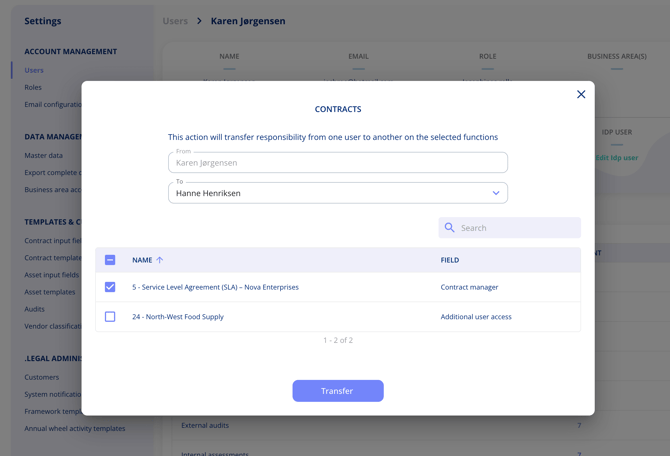
Go to Settings > Users and open the user you want to reassign responsibilities from. From the user overview, you can drill into each area — such as contracts, assets, and processing activities — to see every individual field and record the user is connected to.
Select the specific records you want to reassign, choose the receiving user, and confirm.
What can be transferred
Responsibility transfers are available across:
- Contracts
- Assets
- Processing activities
- Custom fields
Custom fields are included in transfers. Earlier versions of this feature did not support custom field reassignment.
Partial transfers
You are not required to transfer all responsibilities at once. You can select only the specific entities you want to reassign and leave the rest unchanged.