
Every assessment adds to the record rather than replacing it, so nothing is ever overwritten. Each entity and scenario has its own timeline showing every assessment, decision and mitigation over time. This is what you point to when someone asks how a risk was assessed at a particular point in time.
- Open the risk area.
- Go to the History overview
- Here you find the full history
- Use the filters to find a specific entity, responsible or other info.
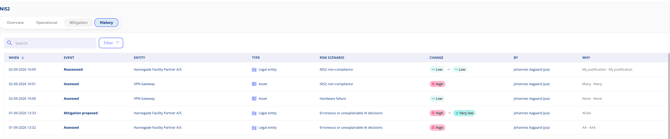
Where a risk has been reassessed without any new action being recorded, this is flagged so it does not pass unnoticed.