
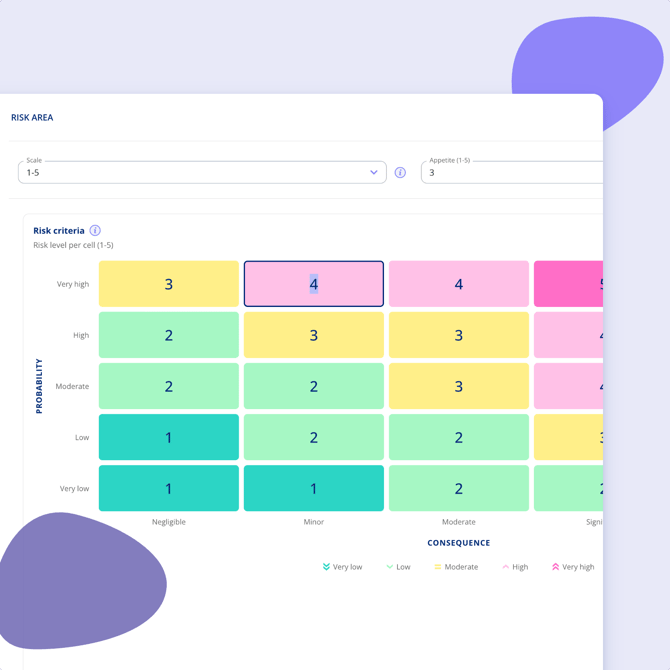
The risk matrix maps each combination of consequence and probability to a risk level. The number shown in each cell is the risk level that combination produces. The matrix arrives pre-filled with recommended defaults, and any cell can be edited.
You may want to adjust it if your organisation has a more conservative or more tolerant risk model, if regulatory requirements such as GDPR or NIS2 mean certain combinations must always be treated as high risk, or if your industry weighs consequence and probability differently.
- While creating a risk ares - under settings and risk areas in the settings menu
- Find the Risk matrix section. Consequence runs along one axis and probability along the other.
- Click the cell you want to change.
- Select the risk level that combination should produce.
- Repeat for any other cells that need adjusting.
- Click Save.
New assessments use the updated matrix from that point on. Earlier assessments keep their history, so you can still see how a risk was rated at the time it was rated.