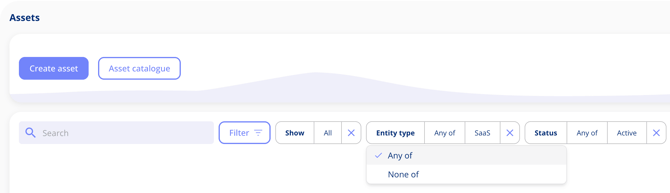
Filtering in .legal now supports contains, does not contain, any of, and none of logic across contracts, assets, and tasks, giving you more precise control over what you see. Additional areas of the platform will follow in future releases.
Text field filtering
You can now filter on text fields using contains and does not contain logic. This makes it straightforward to find records that include a specific word or phrase, or to exclude them from your view.
List-based filtering
List-based filters now support any of and none of matching. Use "any of" to include records that match one or more selected values. Use "none of" to exclude records with any of the selected values.
Filters persist within your session
Filters are saved per record within your session, so they will persist if you navigate away and come back — until you close the browser.
Where is filtering available?
- Contracts
- Assets
- Tasks
More areas of the platform will follow in future releases.
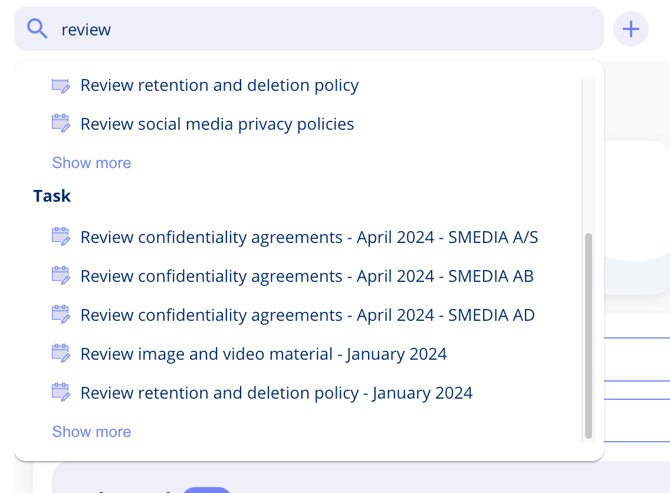
Free Text Search Includes Tasks
Tasks appear in free text search alongside other entity types such as processing activities and legal entities — both from the main search bar and from the mention component anywhere in the platform. Results are grouped by relevance and shown as a top-five preview, with the option to see more.