
A mitigation plan states what will be done about a risk and the risk level you expect to land on once it is finished. Plans move through a lifecycle, so it is always clear where one has got to.
Make a mitigation plan
- Select the risk area and navigate to the operational overview
- Select the entity with the risk that need to be mitigated
- Select the three dots on the right of the risk scenario that should be mitigated
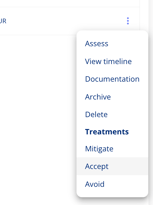
- Select Mitigate
- Fill out the mitigation plan
- Write a description of what will be done.
- Set the expected risk level after the plan is completed.
- Add the estimated cost and the financial exposure after mitigation. These help risk area responsibles and management decide whether the plan should be applied.
- Set a deadline for the plan. Plans past their deadline are counted as overdue in the risk overview.
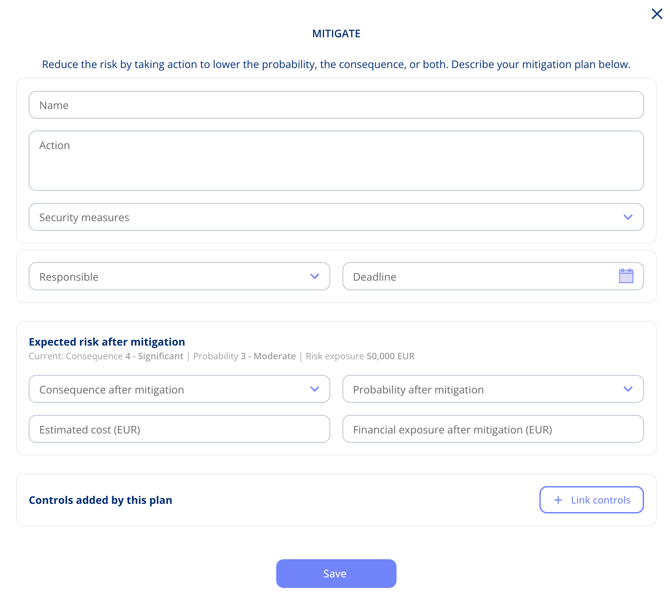
- Click Save. The plan is created with the status Proposed
- Now you will be able to find the plan under the Risk Area and "Mitigations overview"
Handle the mitigation
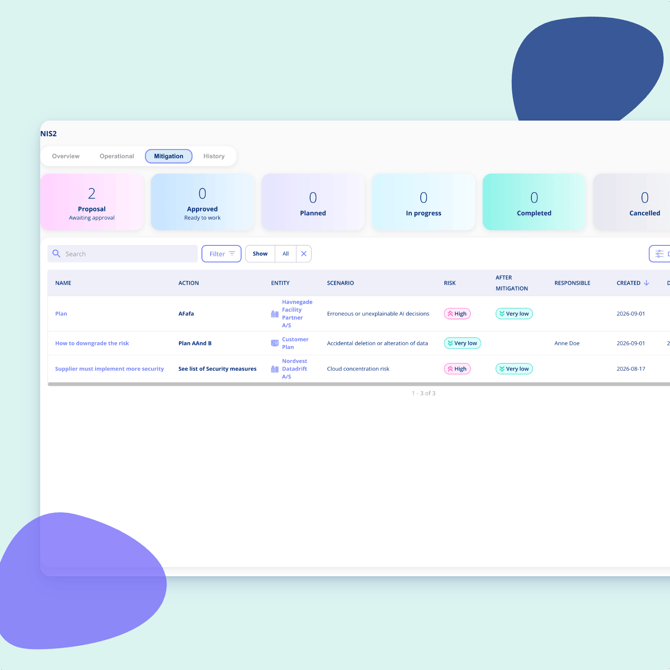
- Open the risk area and choose the Mitigation overview.
- Find the mitigation you want to plan.
- Open the plan status and set the status to Approved when it has been signed off.
- Now select the status "Planned" here you will confirm the deadline and responsible - and select if you want to create a task in the task management board.
- Now the plan can be carried out - and marked completed
- Completed plans can afterwards be "applied" so they will update the current risk level.
- You can apply multiple completed mitigations at once by selecting: Apply mitigations
Plans for entities and for the organisation
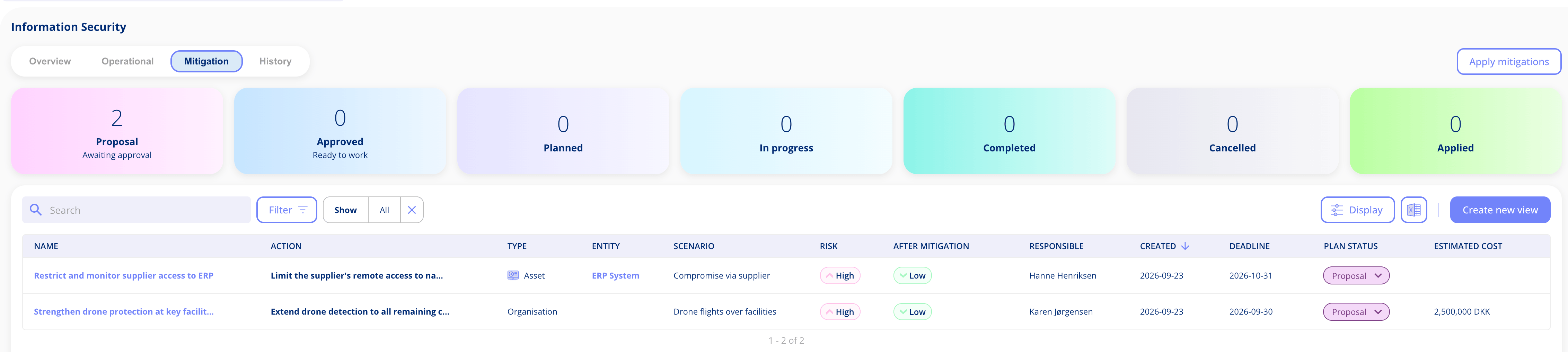
A risk assessed at organisational level is mitigated the same way: in the operational overview select Organisation instead of an entity, then use the three dots on the scenario. In the Mitigation overview, the Type column shows what each plan concerns: a processing activity, an asset, a legal entity or the organisation. The Entity column is left empty for organisational risks, and you can filter on type to see only those plans. See Assess risks at organisational level.
Move the plan forward in task management
- Open task management
- Find the task that corresponds with the mitigation plan
- Use the task to document your implementation of the plan.
- Mark the task as completed
- This will update the status in the mitigation overview.
When a plan is marked as applied, the current risk level updates automatically and the previous state is kept in the history.