
Risk scenarios, consequences and security measures can all be built from scratch as well as imported from the catalogue. A scenario describes a threat or event, and carries the consequences and security measures that can be selected when someone assesses it.
You need admin access to master data to create risk scenarios.
- Open settings an navigate to Risk scenarios in the setting menu.
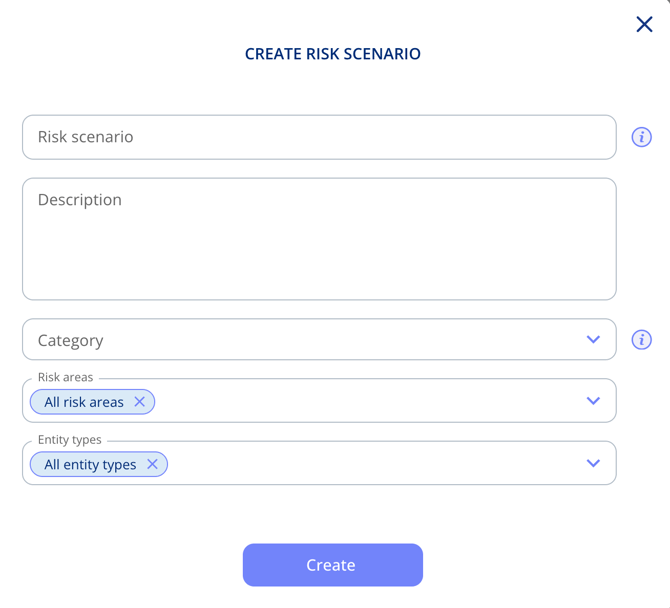
- Click Create Risk Scenario.
- Enter a name and a description of what the scenario covers.
- Add a category
- Select which of your risk areas the scenario should be available in (or all)
- Select on which entity types the risk scenario should be available in (or all)
- Click Create.
The scenario is now available when you assess entities within that risk area.