
In your legal entity registry, you can deactivate any entities you are not currently using to keep your workspace organized.
How do I deactivate an entity?
This can be done as follows:
1) Click on the legal entity.
2) Click the menu icon (⋮) in the top-right corner.
3) Click **"Deactivate Company"**.
Now, the legal entity will no longer appear in your list of active entities.
How do I view my deactivated entities, and how do I reactivate them?
To view your deactivated entities, switch the display to "All" instead of just "Active." See the image below:
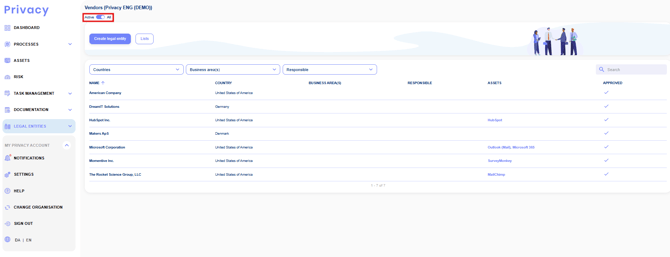
You will now see both your active and deactivated entities. To reactivate an entity, follow the same steps as deactivation: 1) Click on the legal entity. 2) Click the menu icon (⋮) in the top-right corner. 3) Click **"Activate Company"**. The entity will immediately reappear in your list of active entities.