
Some contracts cover agreements tied to specific parts of a group company structure, and not every document on the contract should be visible to everyone who can open it. Contract documents can now be restricted to selected group companies, the same way policy and legal entity documents already work.
How access works by default
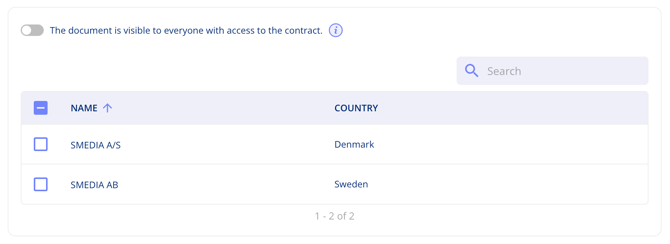
Every document you upload to a contract starts out visible to anyone with access to that contract. That is controlled by the toggle The document is visible to everyone with access to the contract.
Restrict a document
- Open the contract and go to its documents.
- Open the access settings on the document you want to limit.
- Switch off The document is visible to everyone with access to the contract.
- Select the group companies that should be able to see it.
Important notes
- The restriction applies per document, not to the whole contract — other documents on the same contract keep their own settings.
- Leave the toggle on for documents that everyone working on the contract needs.