
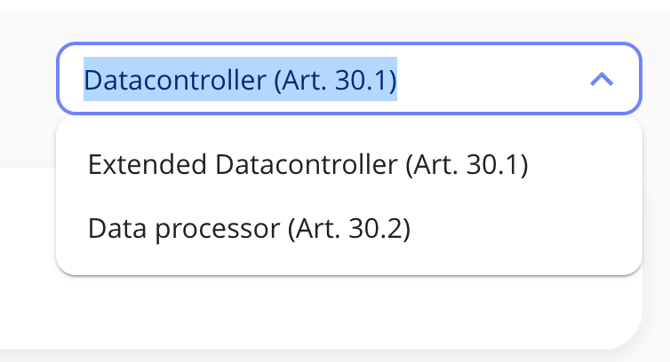
Which RoPA type should you use in dot.legal?
dot.legal supports three RoPA types to match your organisation's role and reporting needs. This article explains which type applies to your situation and what each one records.
Quick answer: Choose the Standard Article 30 RoPA if you are a data controller, the Extended RoPA for internal governance, or the Processor RoPA if your organisation acts as a data processor under GDPR Article 30(2).
1. Standard Article 30 RoPA (Controller)
This is the standard compliance version required under GDPR for data controllers:
- Follows the structure of GDPR Article 30(1)
- Includes data subject types, categories of personal data, recipients, legal basis, and retention periods
2. Extended RoPA (Internal Use)
This type builds on the Standard Article 30 RoPA and adds fields for internal governance purposes:
- Linked systems
- Risk classification
- Security measures
- Task assignment and validation status
Tip: Use this version for internal quality checks, Data Protection Officer (DPO) reviews, or management reporting. Note that this type is not required for regulatory submission to a supervisory authority and cannot be used as a substitute for the Standard Article 30 RoPA when fulfilling GDPR Article 30(1) obligations.
3. Processor RoPA (Article 30(2))
Designed for organisations acting as data processors under GDPR Article 30(2) — that is, organisations processing personal data on behalf of a controller — this version records:
- Processing instructions received from the controller
- Security measures implemented
- Sub-processors used
How to change your RoPA type in dot.legal
To change the RoPA type for an existing processing activity, open the activity, navigate to the Settings or Type field, and select the appropriate RoPA type from the dropdown. Changes take effect immediately. If you are unsure which type to select, refer to the descriptions above.