
In dotlegal, Mentions let you notify colleagues directly within a task comment, while References create two-way links to systems, policies, or other documentation — building a connected compliance record without leaving your task.
Mentions
Mentions let you tag a colleague directly inside a task comment so they are notified and can respond in context.
- Type @ followed by a colleague’s name to trigger the mention picker
- The mentioned colleague receives an in-app notification and can reply directly in the comment thread. They will not receive an email notification unless email notifications are enabled in their settings.
- Use mentions to assign follow-ups or ask questions inline
References
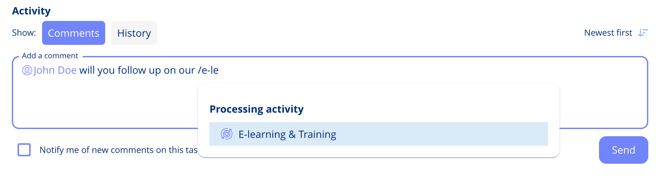
References let you link directly to systems, policies, or other documentation from within a task comment. Each reference creates a two-way, clickable connection — the linked item also displays a back-reference — forming a connected compliance record.
- Type # or / to open the reference picker and link to systems, policies, or other documentation
- This creates clickable references in the comment — and shows up in the linked item too
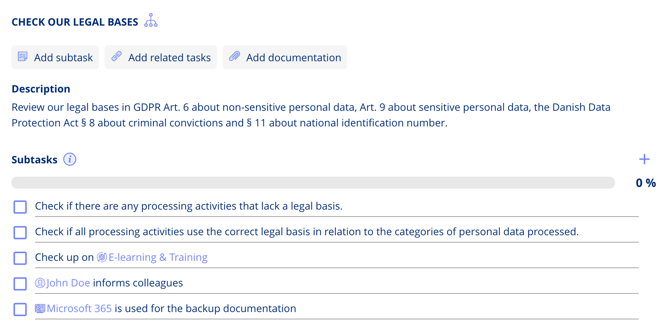
Tip: Using mentions and references connects your tasks to the wider dotLegal compliance network, keeping context, accountability, and documentation in one place. This is especially useful for building a traceable compliance record across your organisation.