
Why it happens
Tasks in your annual wheel inherit their details from the activity they belong to. When you edit an activity, the changes are only applied to planned tasks, meaning the ones that lie in the future.
Once a task becomes overdue, the platform treats it as historical data and won’t change it. It’s the same principle that keeps your completed tasks untouched when you adjust an activity later on. This way you’ll always have a reliable record of what has happened.
So your changes have been saved correctly. They just apply to the upcoming tasks, not the one that’s already overdue.
How to fix it
If the overdue task no longer needs to be completed, you can delete it.
1. Open the task
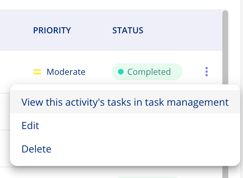
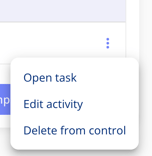
Click the three dots to the right of the activity to open the task. (Screenshot 1 is from your activity overview - screenshot 2 is from the Framework control view) Rest of the guide is the same.
2. Delete the overdue task
Make sure you’re viewing the overdue task that shouldn’t be carried out. Click the three dots in the top right corner and select Delete.
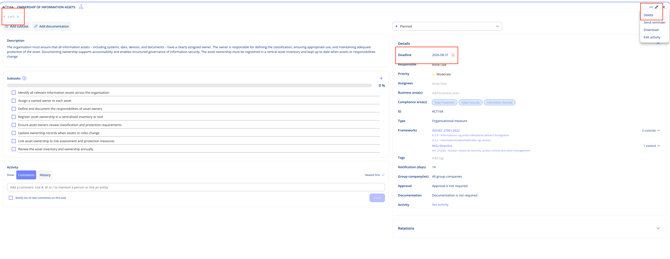
The next planned task then becomes the current one, and its status will reflect its own deadline.
Tip: Use the arrows below the task title to browse to the next occurrence of the task. That way you can quickly check that its deadline is now correct.
Avoid it next time
If you know you’ll be changing an activity, move any Ongoing tasks back to Planned before you edit it. They’ll then be updated along with the rest, and you won’t lose any work you’ve already done on them.
Overdue tasks can’t be updated this way, so they’ll still need to be deleted if they’re no longer relevant.