
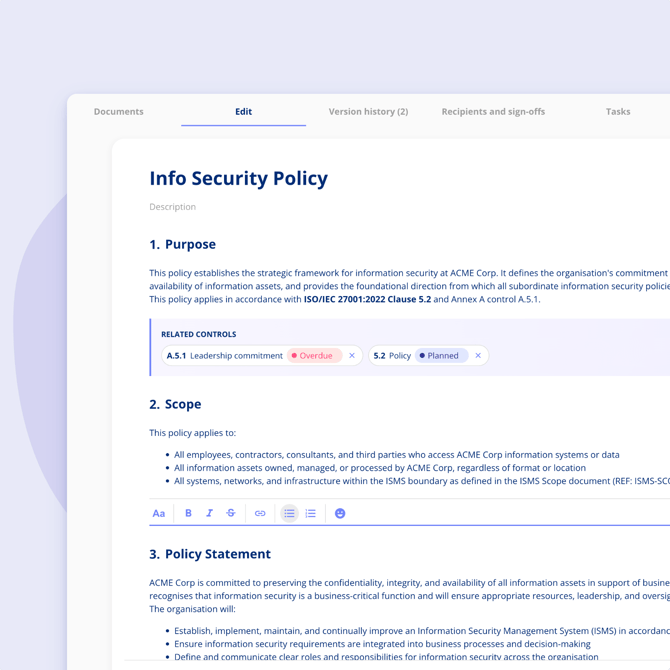
Policies are created and edited directly in the .legal platform. You can start from scratch using the built-in editor or import an existing document to get a head start.
Create a new policy
Go to the Policies overview and select New policy. Give the policy a name, assign a responsible owner and approver, and you're ready to start writing.
Write and format content
The rich text editor lets you add headers, body text, and bullet points. Content is organised into sections and subsections, which you can reorder at any time using drag and drop.
Import from an existing document
If you already have a policy in Word or PDF format, you can import it instead of starting from scratch. Upload the document and the platform will extract the sections based on the headings and convert them into an editable draft.
After import, you can edit the content as normal before publishing.
Link sections to controls
Individual sections and subsections can be linked to controls in your active compliance frameworks. This makes it easy to see which parts of a policy support which requirements, and to spot gaps when a policy is updated. You can read more in Link policy sections to controls.
Once you're happy with the content, you can publish the policy. See Version control and publishing for how that works.