
When you create a process, you choose a template, and a guided flow takes you through the steps in that template. The standard process template is ready to use from the start.
How to create a process
- Go to Processes and select Create process.
- Choose the process template.
- Fill in the fields in each step. Use Next and Previous to move between them, or select a step at the top.
- Select Complete when you are ready.
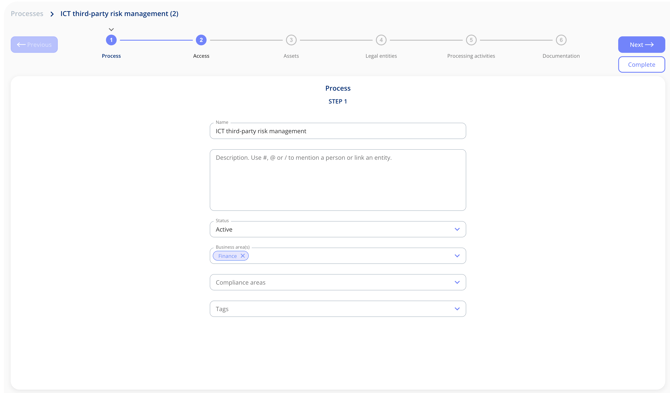
Some fields may be required at creation, so they have to be filled in before the process can be created. Which fields these are is decided by the template.
The steps in the standard process template
- Process: the core information, such as name, description, status, business areas, compliance areas and tags.
- Access: who can see and work with the process.
- Assets: the assets involved, along with the suppliers linked to each one.
- Legal entities: the legal entities involved, along with their subcontractors.
- Processing activities: any processing activities connected to the process.
- Documentation: documents related to the process.
Your own templates can have other steps, in another order. Process and Access are always included. See Create and Manage Process Templates.
The process overview
Once a process is set up, its overview page brings the key details together: template, status, owner, business areas, compliance areas, tags and risk level, along with the linked assets, legal entities and processing activities.
- Tabs at the top take you to each step of the process.
- Below the summary there are tabs for Documents, Access and Tasks.