
If the standard templates do not quite match how you work, you can create your own, just as you can for contracts, assets and legal entities. Your templates appear alongside the standard ones when anyone creates a new incident.
Before you start
Your own incident templates require the Templates and Custom Fields add-on. The standard templates are available without it. See Standard Incident Templates and Your Plan.
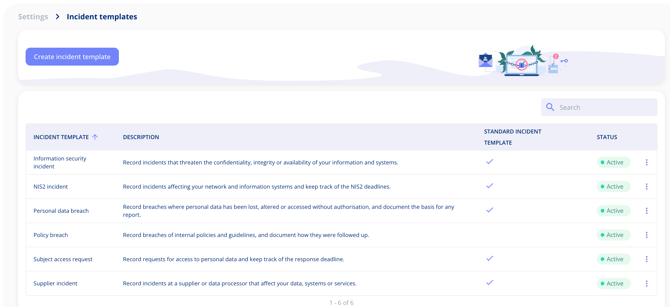
Create a template
- Go to Settings > Incident templates.
- Select Create incident template.
- Start from scratch, or base the new template on one of the standard templates.
- Give the template a name, for example Policy breach, and a description that tells people when to use it.
Choose the fields
Add or remove fields so the template fits your process. For every field, decide whether it must be filled in before the incident can be created. That way the essentials are always captured from the first report.
Use the template
When someone selects Create incident, your template is offered alongside the standard ones. The incident is then created in the guided flow with your template's steps and fields. See How to Document a Security or Data Incident.
Important notes
- The template is shown on every incident created from it, and the incident list can be filtered by template.
- Templates are listed with a status, so you can see which are in use.