
One list for all external legal entities
The Legal entities menu has two sections: External and Group companies. Every legal entity outside your group companies, such as suppliers, customers and processors, is in the External list. There are no longer separate sections for each type of third party.
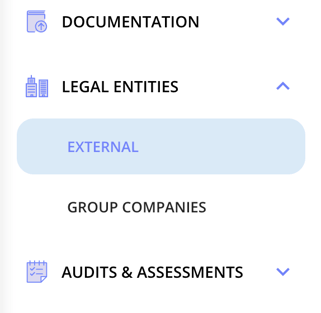
To see only one kind, filter the list by Type.
Columns in the overview
The overview can show the following columns:
- ID, Name, Country and Type
- Business area and Responsible
- Asset
- Status
- Risk and Classification
- Latest audit and Latest audit status
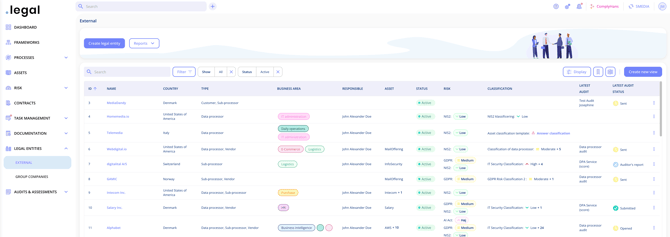
Filter, choose columns and save views
- Search finds a legal entity by name.
- Filter narrows the list, for example by type or status.
- Display lets you choose which columns are shown.
- Create new view saves your filters and columns as a view you can return to.
This works like the lists elsewhere in .legal. See Advanced Filtering.
Deactivated legal entities
To include deactivated legal entities, change or remove the Status filter.